Kept a difficult password, and forgot what the password is? Don’t worry now because by seeing this post, your problem can be resolved.You can change the password without knowing the existing password. But this trick works only when your PC was logged in.
Caution : I am posting this thread only for the educational purpose, do not use this trick for illegal purpose.
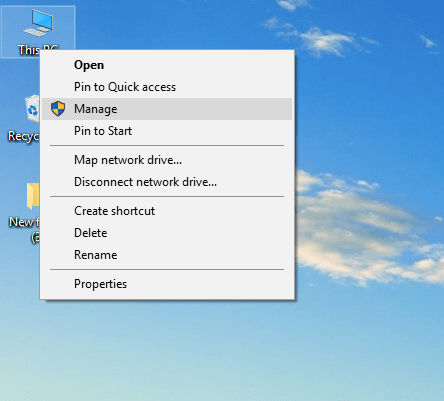
Step1: Right click on computer and select manage.
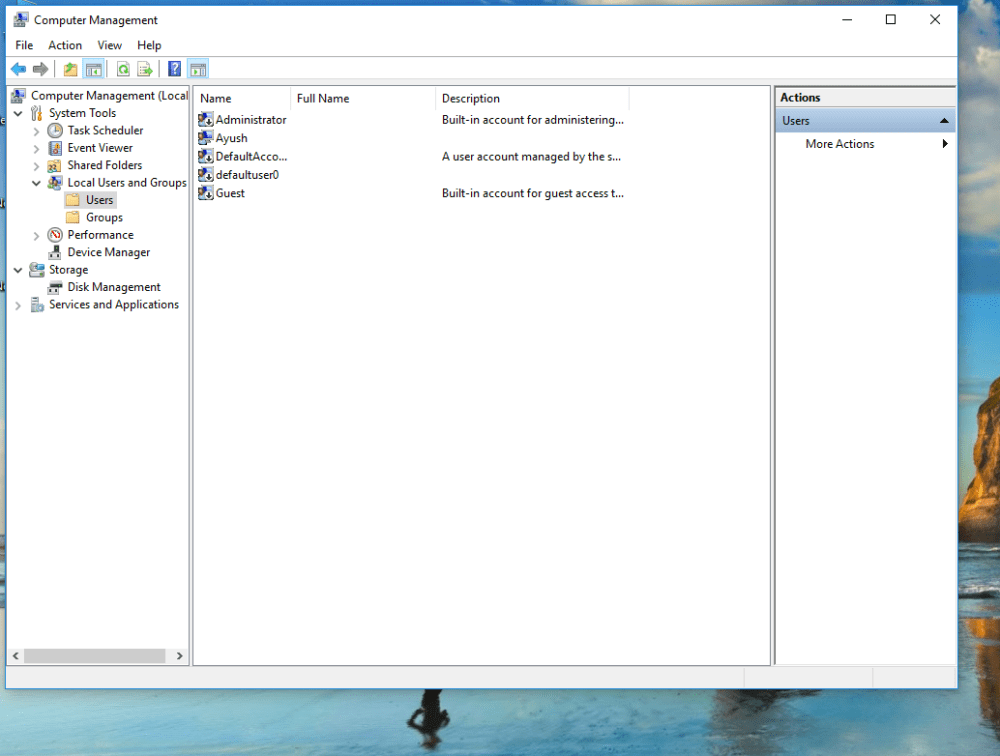
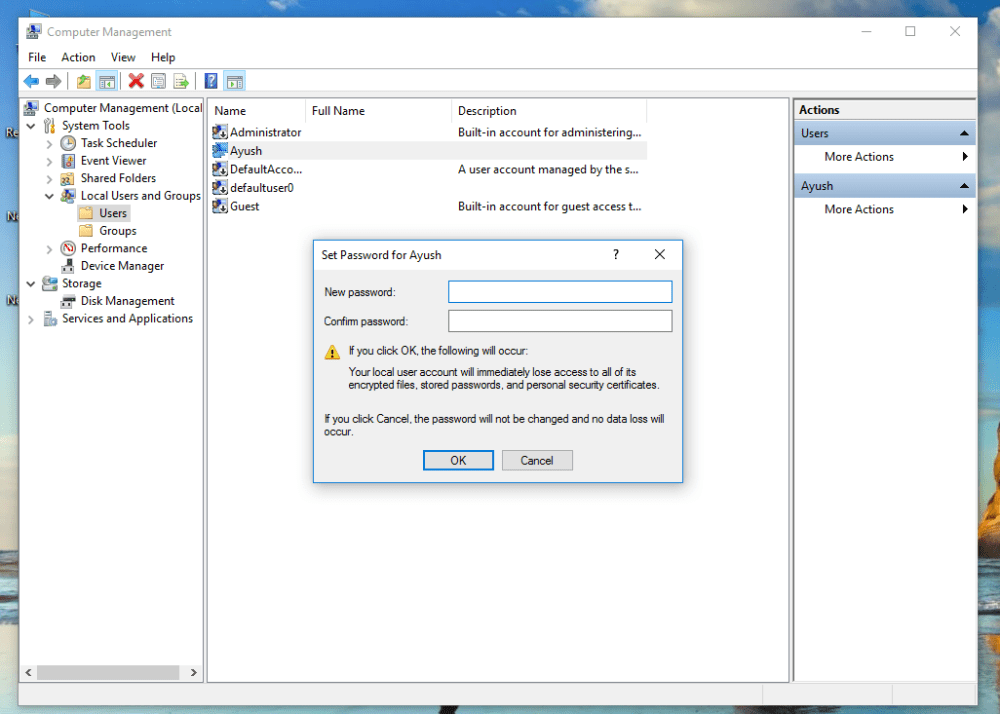
Step2: Go to Local users and Groups option and then click on users. You can see the list of users.
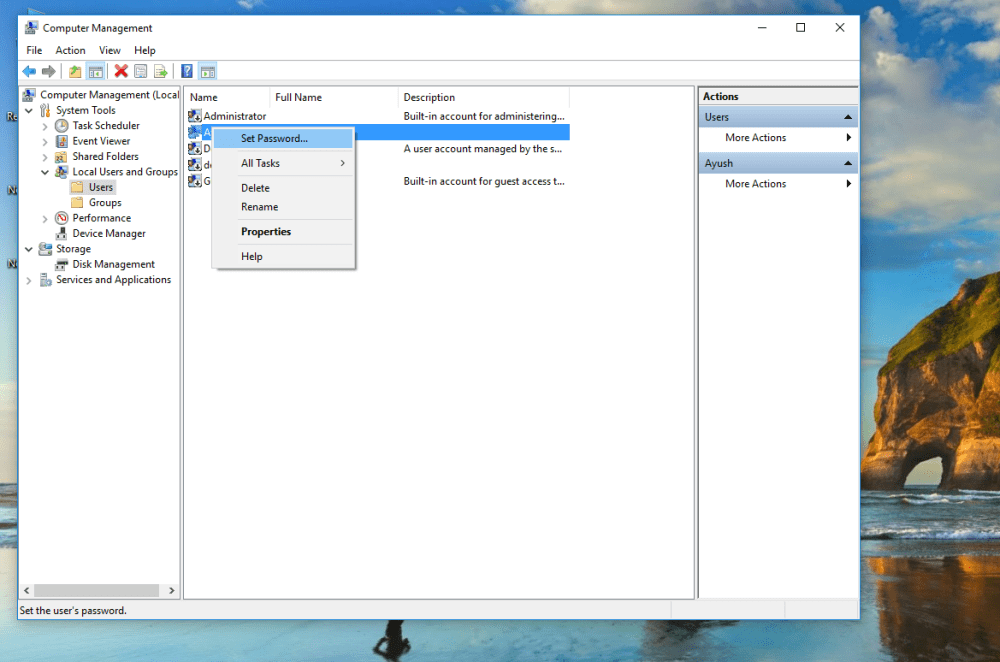
Step3: Right click on the user whose password you want to change and then select set password
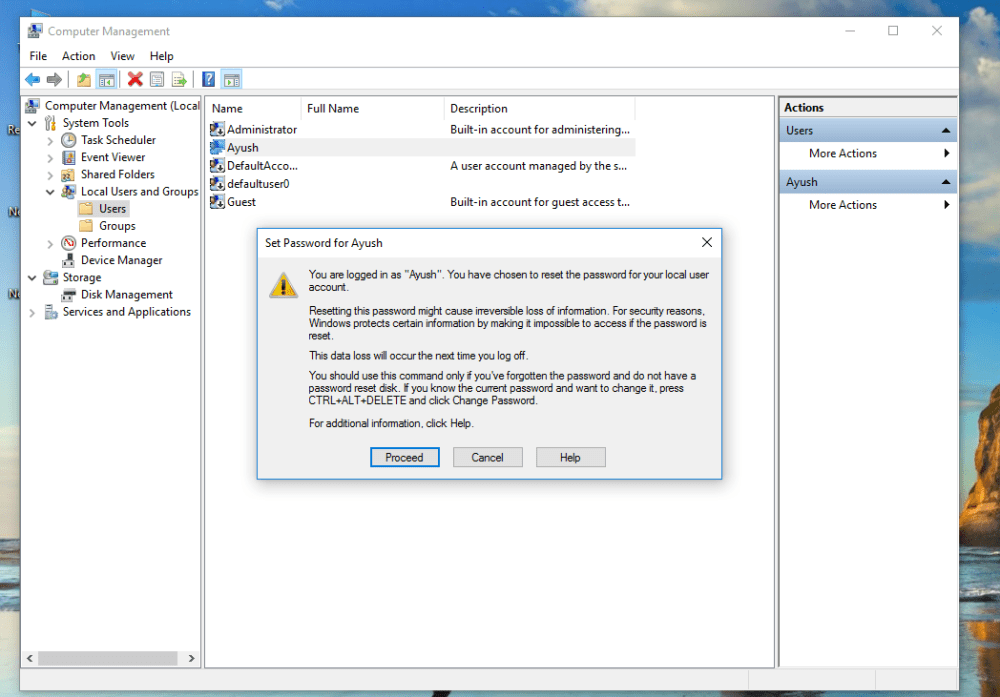
Step4: click on proceed on the pop-up window.
Step5: Enter the new password and click on Ok.
That’s it!!
Explanation: In this method, we are changing password internally. First priority is given to us.
Note : I would soon be explaining this on my youtube channel. Till that stay tuned.

 TechnoSparkz