You may have used a calculator for calculation, but now you can use it for hiding files too. There are billions of android users worldwide.Today I am going to share a simple trick with you guys.
Note : This is just for educational purpose. I am only interested to show you various kinds of methods one can use to hide files and folders, and I tried my best to give a explanation for this post.
How To Hide Files & Folders Inside Calculator On Android
This trick can be performed by using a simple app called ‘Smart Hide Calculator’. This app is just a twist of another hiding app. You can also freeze(Hide) and Un-Freeze (un hide) apps. To know how to do, just scroll down.
Step 1. First of all, you need to download and install the app Smart Hide calculator on your Android device.
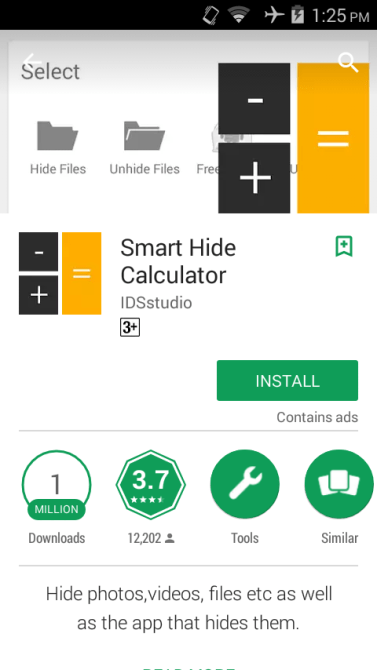
Step 2. Now open the app and you need to set a password for using this app. This is the password that you will use to unlock your hidden files.
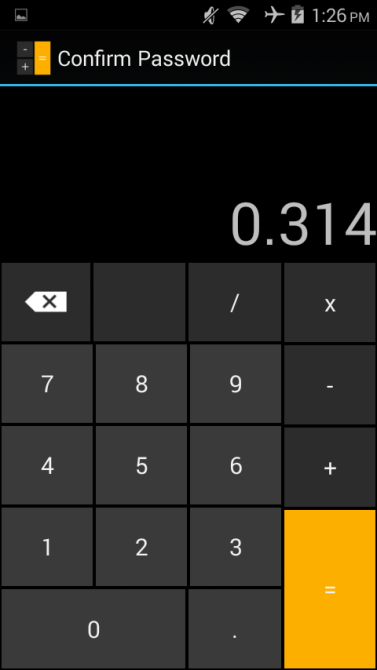
Step3 . You just need to enter the password and tap on “=” button to access the vault.
Step 5. Once you entered the password and tapped on ‘=’ button you will get to see the options likes “Hide Files”, “Unhide Files” etc.
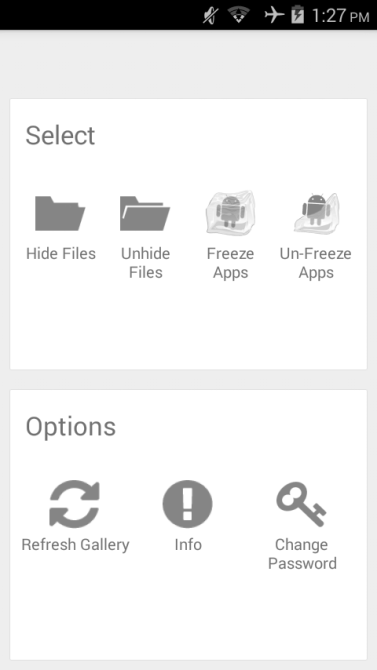
That’s it! You can now select the files that you want to hide. If you want to unhide the files then simply go to the vault and select the option “Unhide Files” and from there you can unhide files.
Explanation:
1.)What is a file extension?
In your daily chores, you may have noticed that there are some letters after the name of a file for example- .mp4, .mkv, .bat, .aac, .txt etc. Those are in fact called “File Extensions”. These file extensions give the identity to its specific file like a video, song or a text file.
2.) What do they actually do to hide these files?
You have learned about the extension in previous question. Softwares which hide files are actually changing the extension of a file, and gives any name to its extension so that no app can identify that file. You may be thinking, “what if I change extension of a file, would it go hidden?”. I expected this question. Yes you are right; You can hide a file by changing its extension. Moreover, you can hide a file by placing it in the folder named “Android”, where there is no permission to any app to read its content so your content would be secure here.
3.)How does this app works?
This app uses your number as your password. It purposefully kept its design similar to one of the default calculator, so that anyone can be fooled by seeing the design of this app.
4.)How does this app saves password?
An android app is designed in a way that it reads its file present in the ‘Root’ folder of your android device. All this app does is, it saves your password as a txt file(In most of the cases) in the ‘root’ folder. When a user enters a password, it tries to match the password with the saved one, and gives response according to it. It is a simple Java Coding, which I will teach you once my website for learning coding is launched.
5.) What is a ‘root’ folder?
A ‘root’ folder is a place to store application data (system memory). By default, user don’t have permission to this place. You are supposed to root your phone in order to access this path.
Caution: I highly recommend you not to root your phone because it may brick your phone.
I suppose that I cleared all your doubts. If you have any queries related to this topic, ask me I would surely answer you at my earliest.

 TechnoSparkz
The best ever website for learning technological threads, that too with explanation. Hats off to you Sir. Keep up this good work
LikeLike
Thanks…..
LikeLike
No worries
LikeLike